RAG and LLM Evaluation Components for React
10 components · React, TypeScript and Tailwind CSS, light and dark
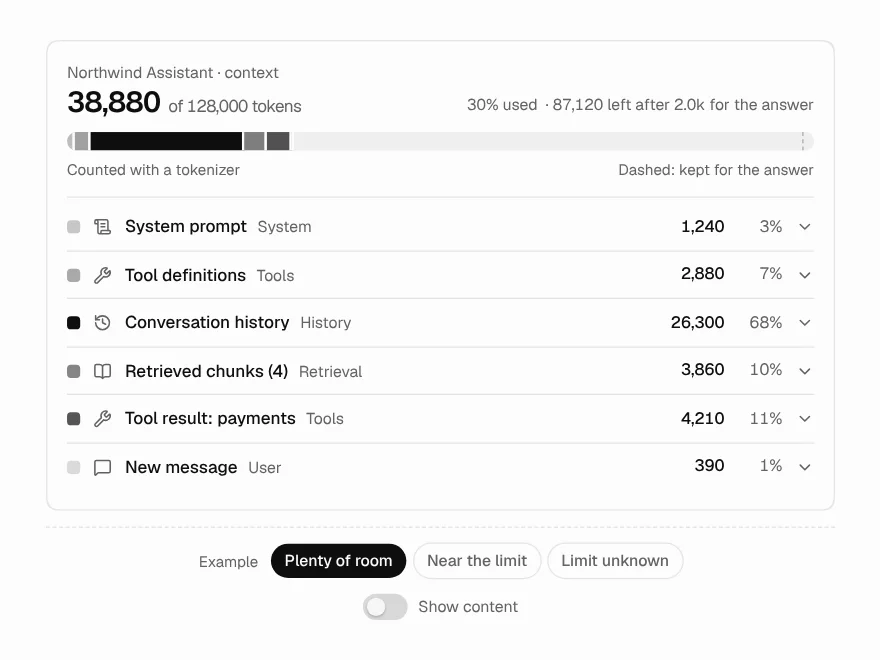
The screens you build once an AI feature is real and has to be trusted: what the retriever found and what reached the model, whether each claim in an answer is backed by its source, where a document got stuck on its way into the index, and how much of the context window each part took.
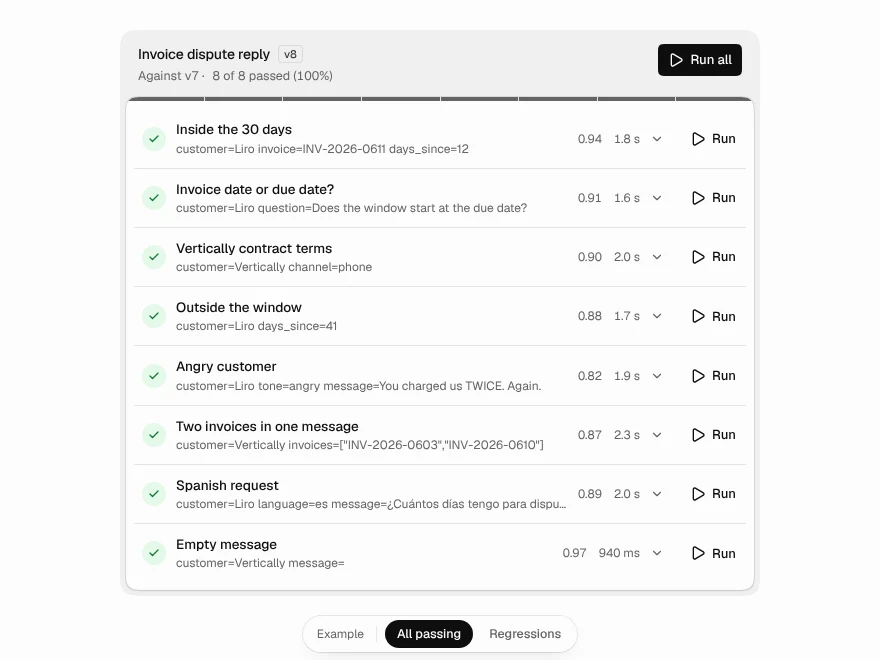
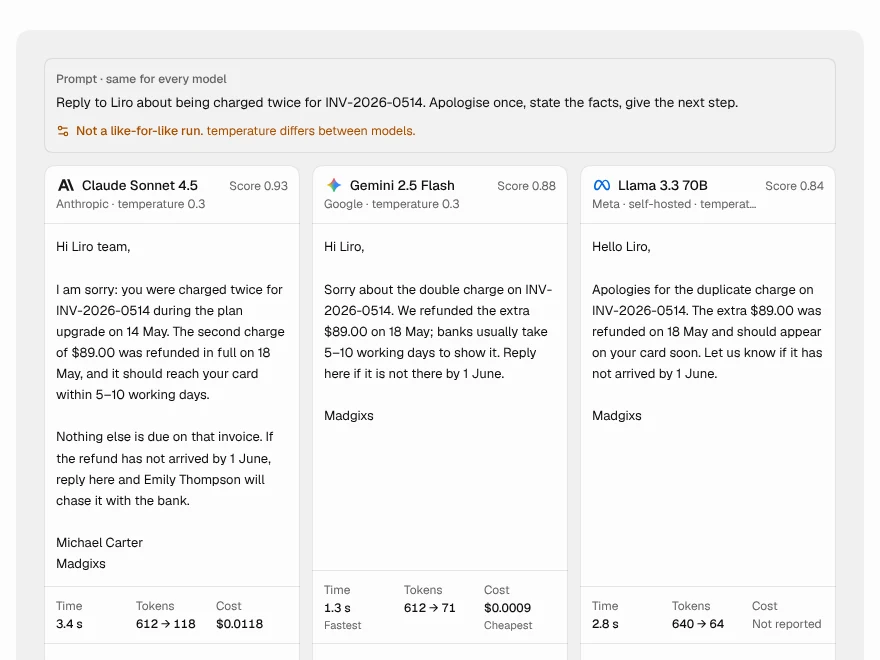
For the work of improving a prompt or choosing a model, a test matrix shows every case with expected and actual output and calls out regressions, and a comparison view puts several models' answers side by side with time, tokens and cost. Each component renders the data you pass and reports what the user does; none of them calls a model or a database.
All AI UI components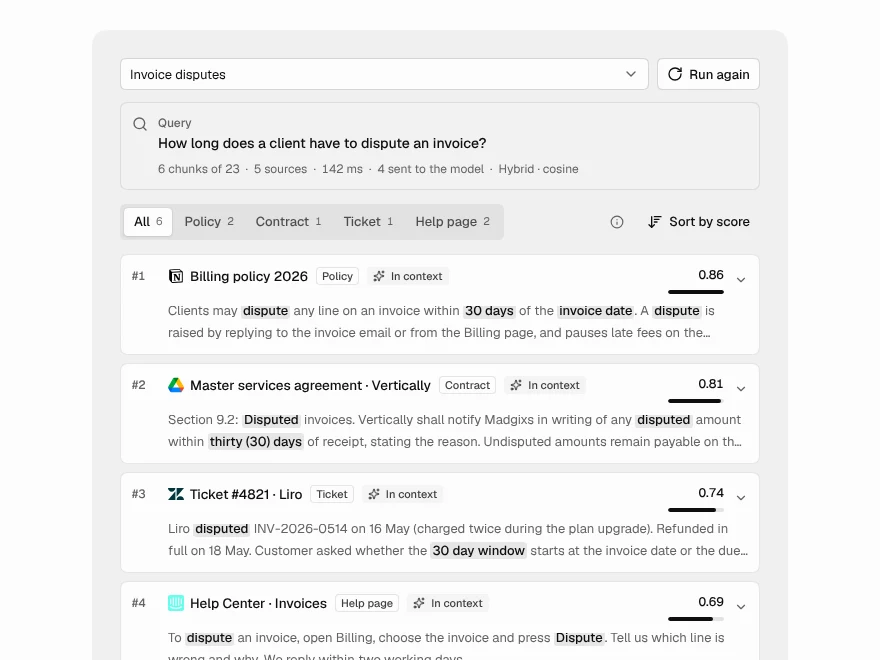 Pro
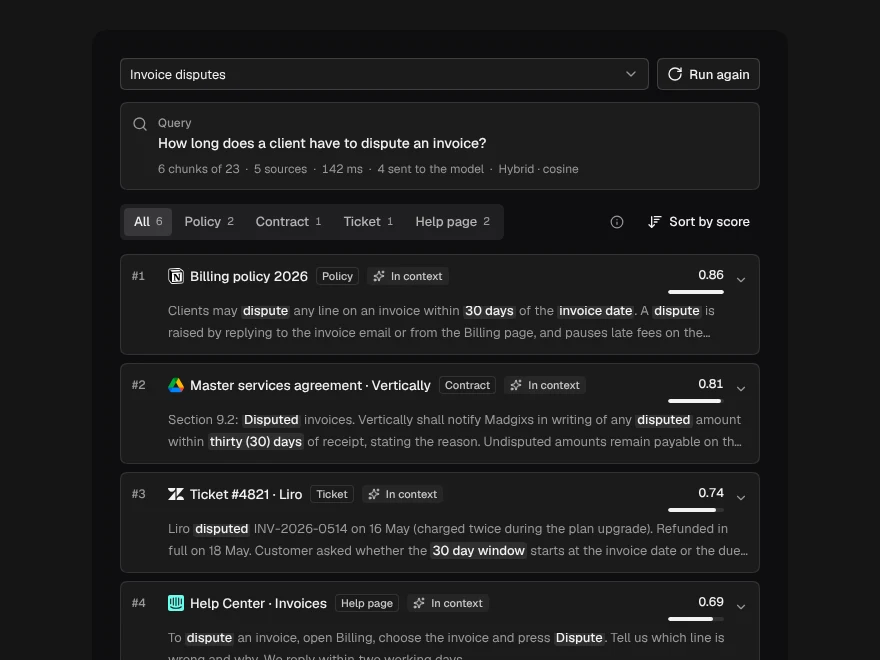
Retrieval Inspector
Inspect the chunks a RAG retriever found.
 Pro
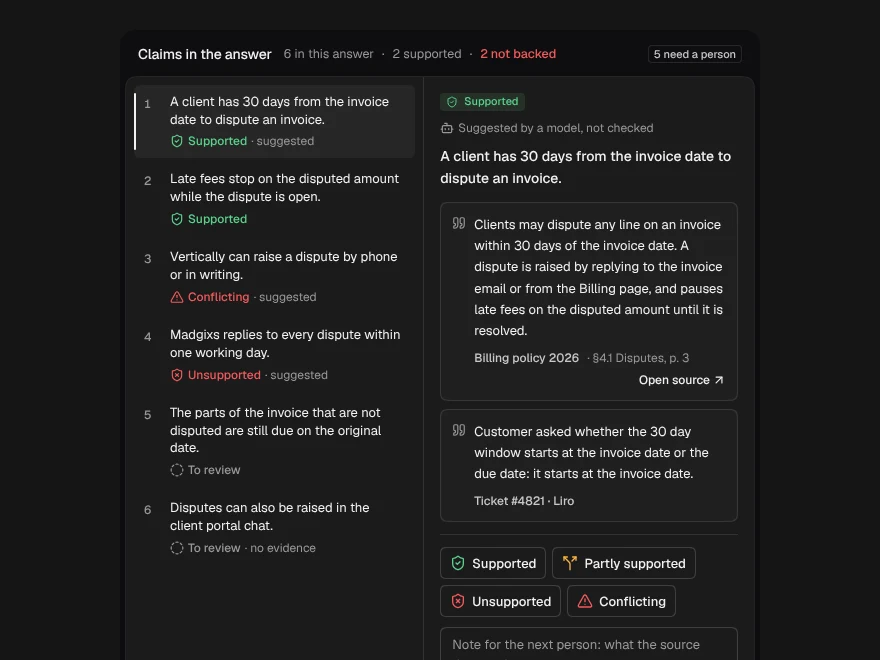
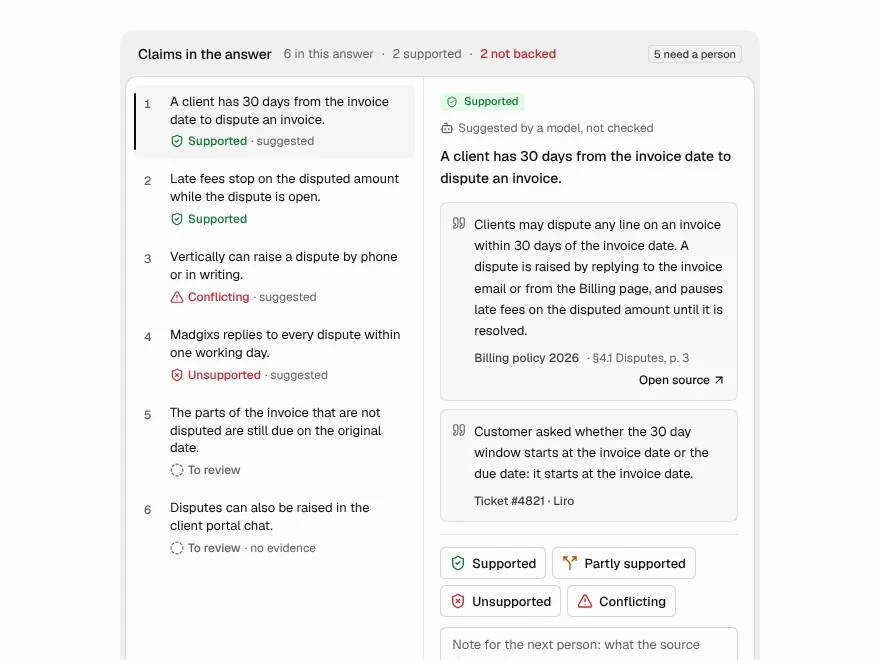
Citation Verification
Check each AI claim against its source.
 Pro
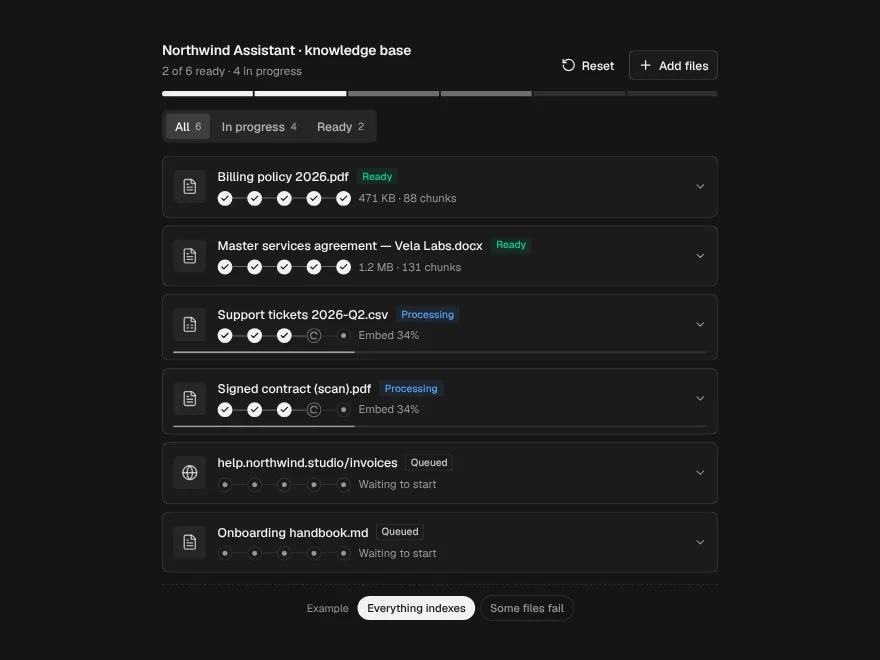
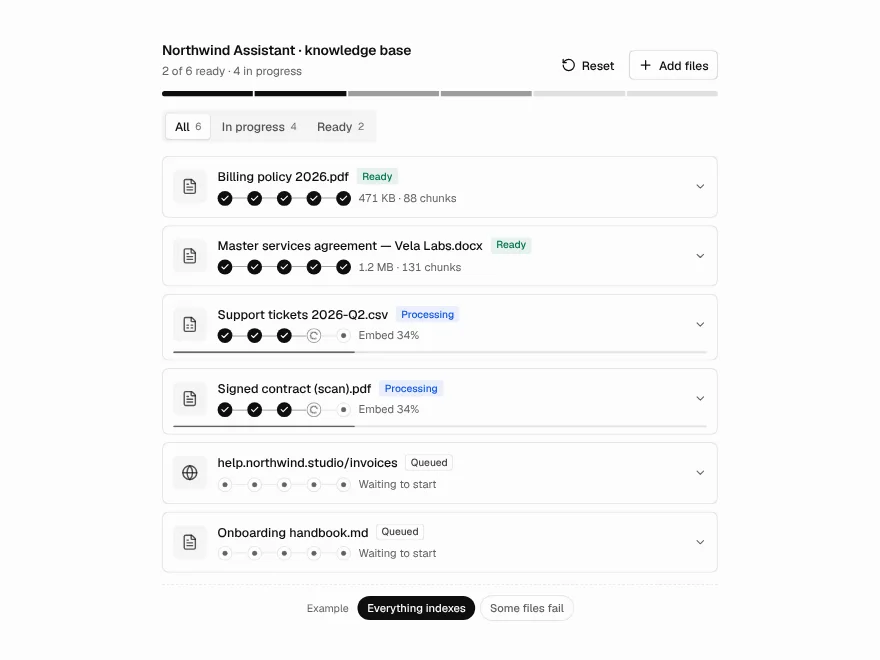
Ingestion Pipeline
Track files through a RAG ingestion pipeline.
 Pro
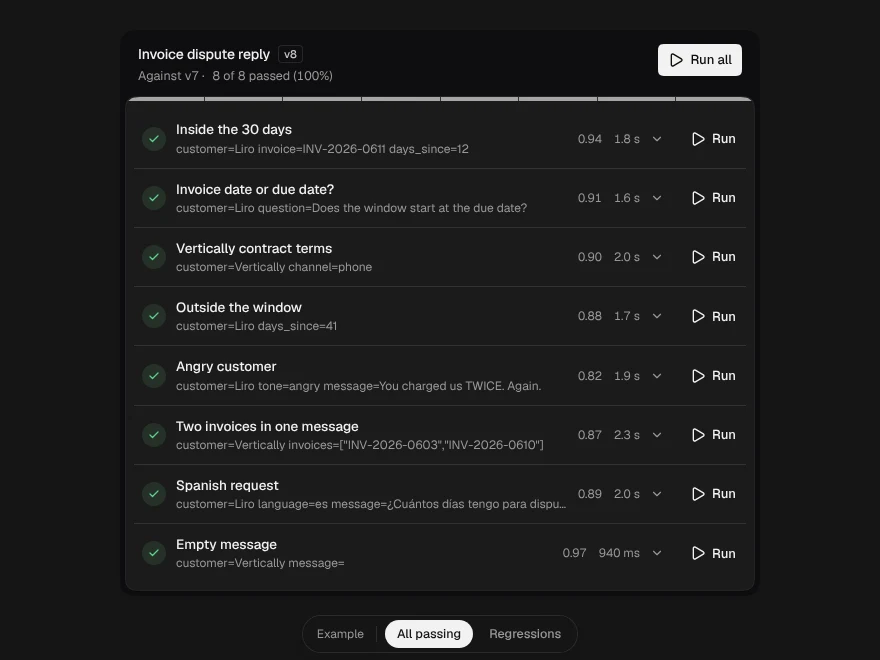
Prompt Test Matrix
Test a prompt against cases and catch regressions.
 Pro
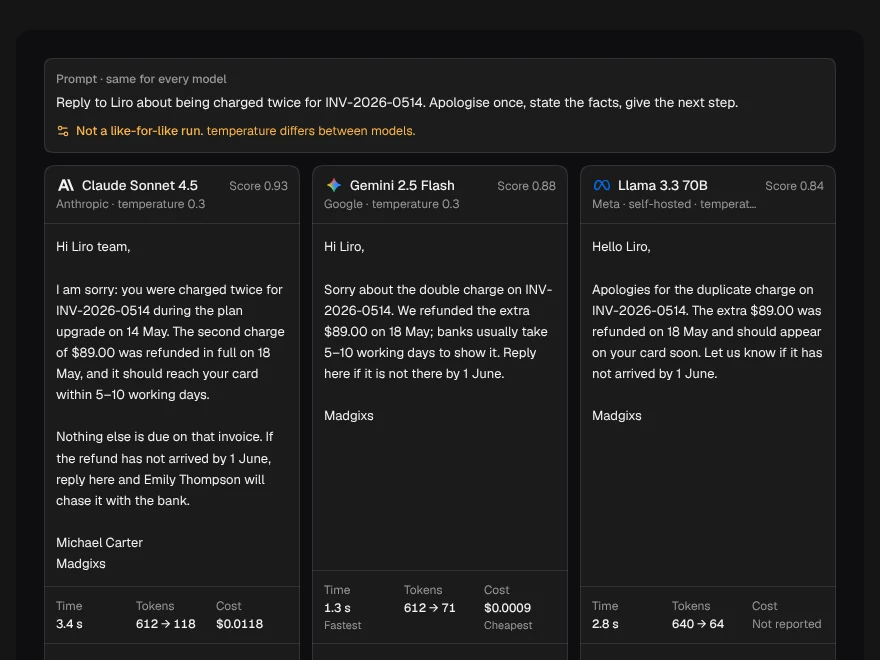
Model Comparison
Compare answers from several AI models side by side.
 Pro
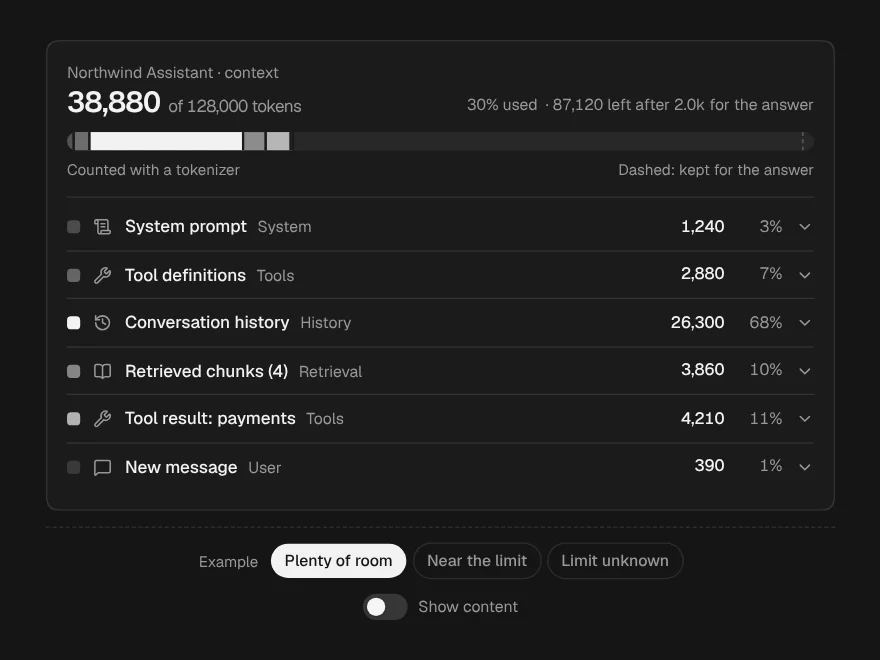
Context Window
Breakdown of what fills an LLM context window.
 Pro
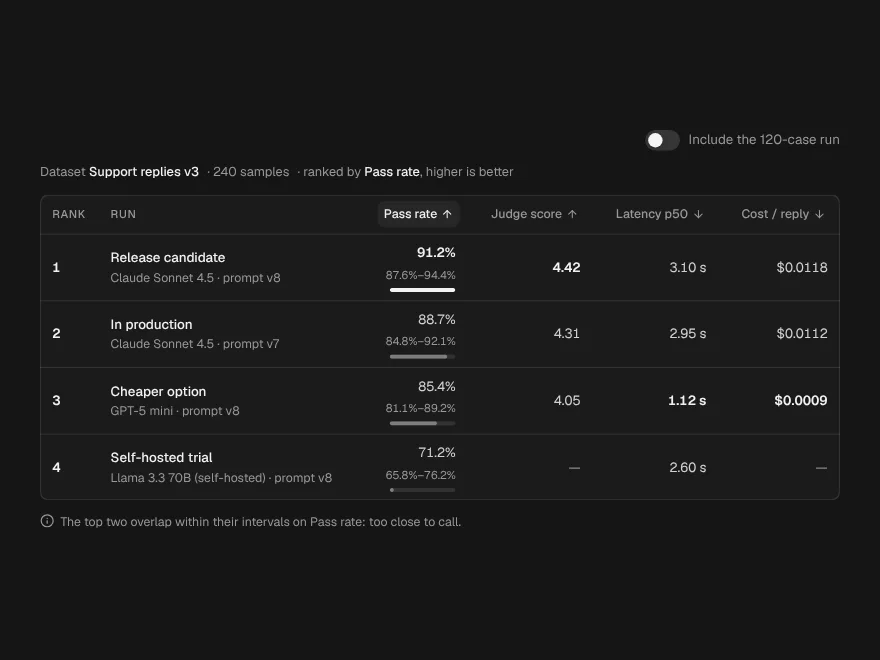
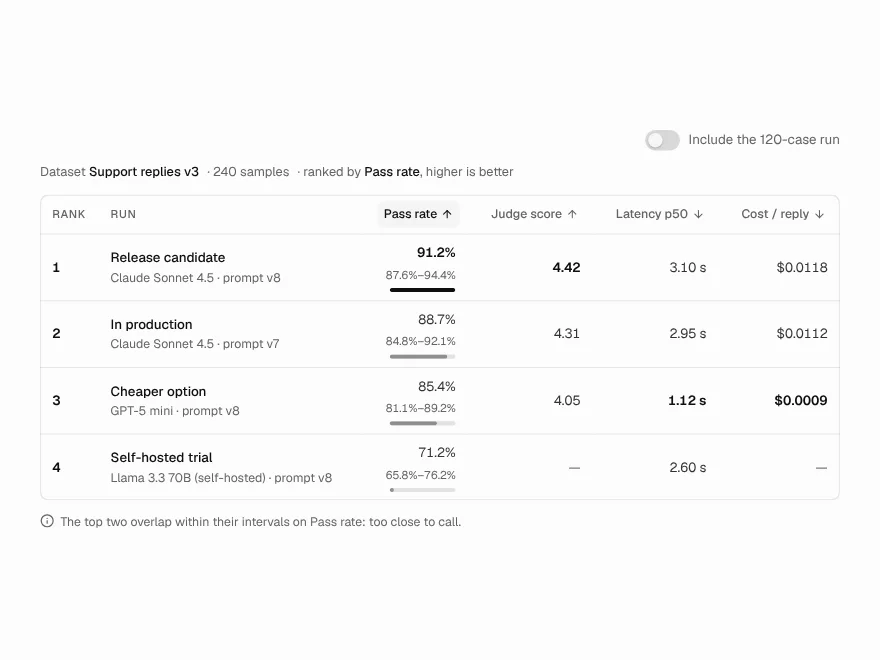
Eval Leaderboard
Leaderboard ranking models on an evaluation.
 Pro
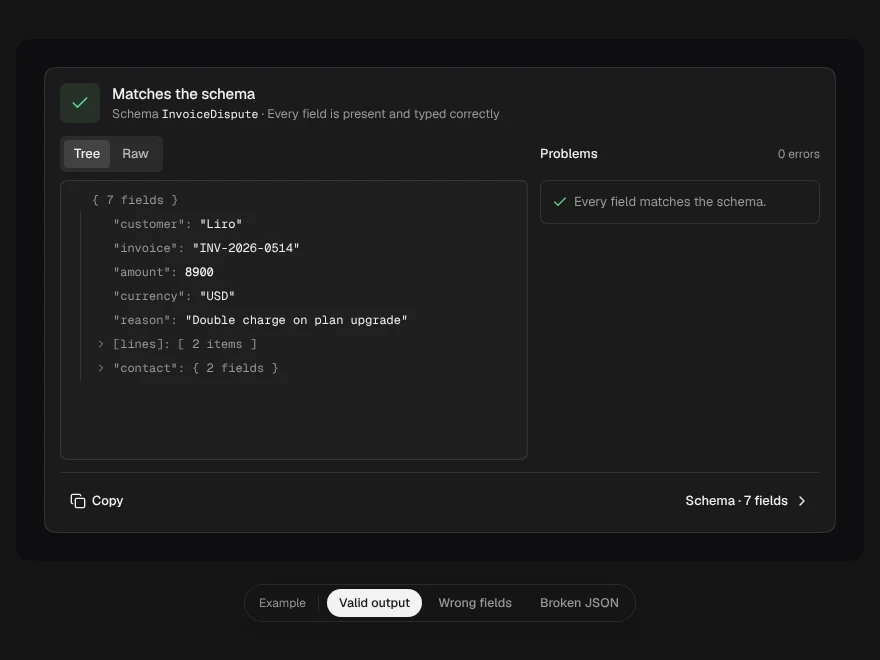
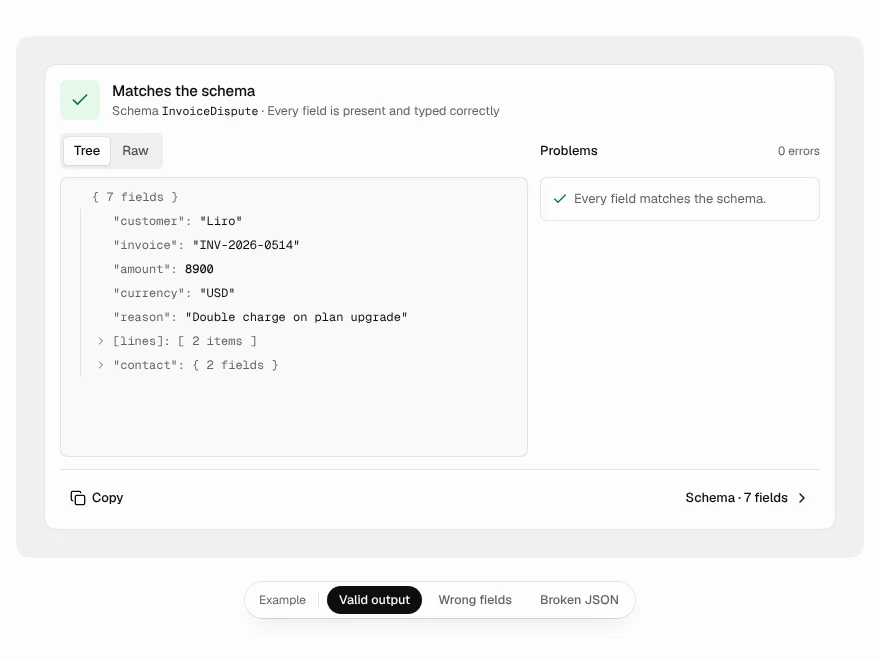
Output Validator
Validate LLM JSON output against a schema.
 Pro
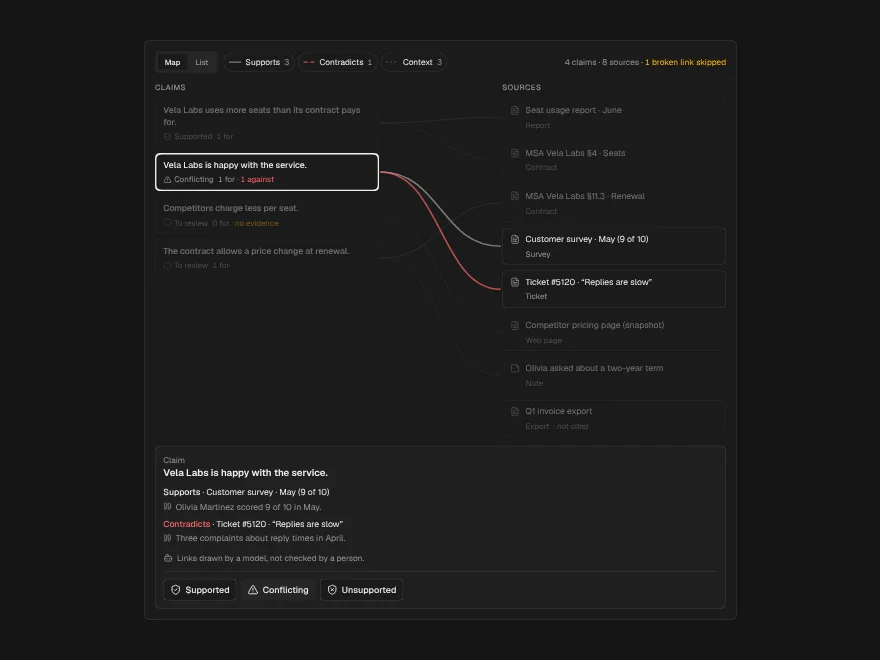
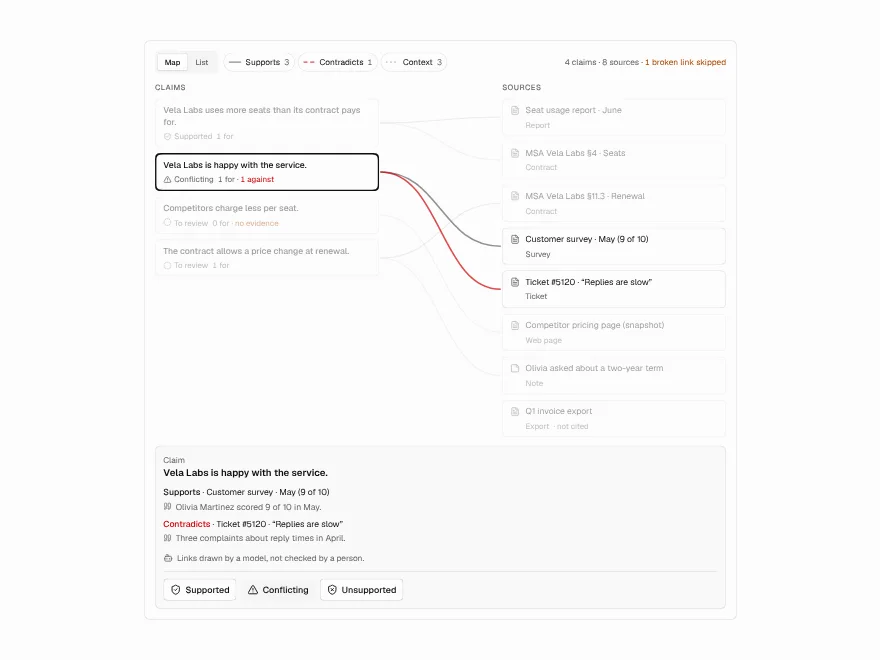
Evidence Map
Map of claims and the sources behind them.
 Pro
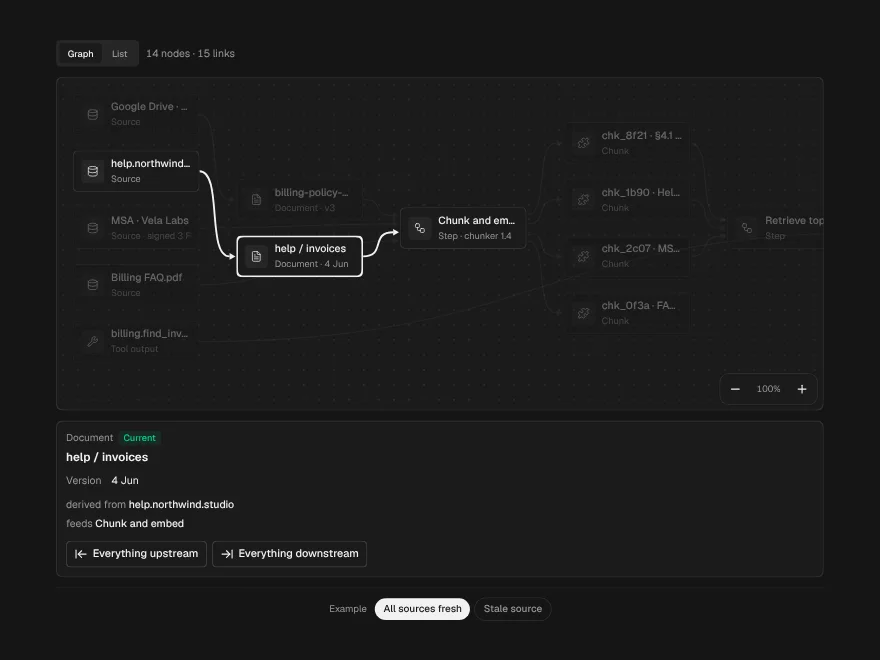
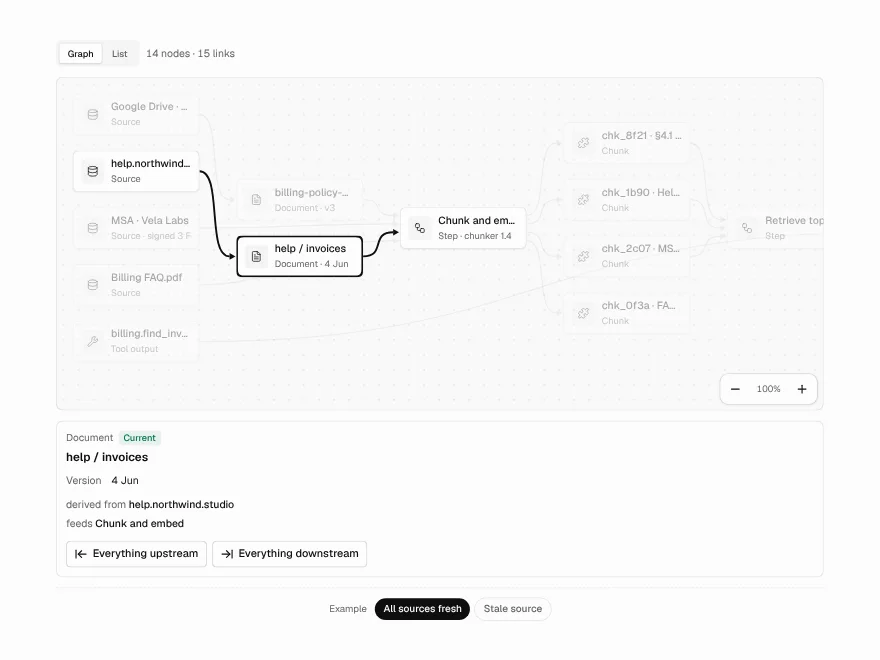
Data Lineage
Trace where an AI output's data came from.