Agent Queue
The work waiting for your agents: worker slots, the line behind them and the backlog.
PROGet Agent Queue and 168 other Pro components with pro lifetime — Get Pro
- Category
- AI Agent
- Access
- ProPro · unlocked
- Source
- 466 lines · one file
- States
- 6 drawn
- Added
- 2 Nov 2026
The decision inside it
A rate limit shows as a pause, and start times move with it
When a provider rate-limits you, most dashboards keep jobs at running while nothing runs. Here the queue says it is paused, why, and when it resumes, and every waiting job's start time is recalculated around the pause, so nobody has to guess whether it is stuck.
When to use it
Use Agent Queue to show work waiting for agents: worker slots, the jobs lined up with start times, rate-limit pauses and the backlog. For tasks waiting on a person use Agent Inbox; for assigning work to agents use Delegate Board.
Installation
How you get it
Paste this into Claude Code, Cursor, Codex or any coding agent. It installs the file and uses it as it is, instead of writing a new one.
Use Liro's Agent Queue for this.
Install it: npx shadcn@latest add @liro/agent-queue
(the @liro registry is set up in components.json, with LIRO_KEY in .env.local)
Import it from @/components/ui/agent-queue.
Do not rewrite or restyle it. Pass my data through its props
and keep its built-in states.
For the full brief with every prop and the mistakes assistants usually make, use Copy prompt above. Pro components install through the @liro registry with your CLI token: see the Namespaced tab.
Usage
import { AgentQueue, type QueueJob } from "@/components/ui/agent-queue";

export function AgentQueuePanel({ jobs, limit, api }: {
  jobs: QueueJob[];
  limit?: { resetAt: number };
  api: { promote: (id: string) => Promise<void>; cancel: (id: string) => Promise<void>; retry: (id: string) => Promise<void> };
}) {
  return (
    <AgentQueue
      jobs={jobs}
      workers={6}
      pausedUntil={limit?.resetAt}
      pauseReason="Rate limit"
      onPromote={api.promote}
      onCancel={api.cancel}
      onRetry={api.retry}
    />
  );
}
API reference
“Copy prompt” above puts a full brief on your clipboard, install command, dependencies, props, and the mistakes an assistant usually makes with this component.
Props
Read from the component’s own TypeScript interface when the site is built, so this table cannot drift from the file you install.
| Type | Notes | ||
|---|---|---|---|
jobs | QueueJob[] | Yes | – |
workers | number | No | Worker slots. Default 4. |
pausedUntil | Date | number | No | While in the future, no new job starts: a rate limit or a pause. |
pauseReason | string | No | What paused it: "OpenAI rate limit". |
backlog | number[] | No | Earlier backlog depths, oldest first, to start the chart with. The chart keeps sampling by itself. |
title | string | No | – |
onPromote | (id: string) => void | Promise<void> | No | Moves a waiting job to the front. May return a promise. |
onCancel | (id: string) => void | Promise<void> | No | Removes a waiting job. May return a promise. |
onRetry | (id: string) => void | Promise<void> | No | Puts a failed job back in line. May return a promise. |
now | Date | number | No | – |
look | Look | No | – |
Dependencies
npm packages
clsxframer-motionlucide-reacttailwind-mergeLiro foundations, installed alongside it
liro-themebuttonStates
All of them are drawn by the component. None is left for you to design.
- Flowing
- Rate limited
- Backlog draining
- Failed job
- Empty
- Action failed
Accessibility
- Keyboard reachable throughout, in visual order
- Focus trapped in overlays, Escape closes them
- Focus returns to whatever opened it
- Live regions announce what changed, not that something did
- Honours prefers-reduced-motion
Responsive behavior
- Sizes to its container, not the viewport
- Usable from 320px up
- Pointer-based interaction, so trackpad and touch both work
- No hover-only affordances
More like Agent Queue
All AI Agent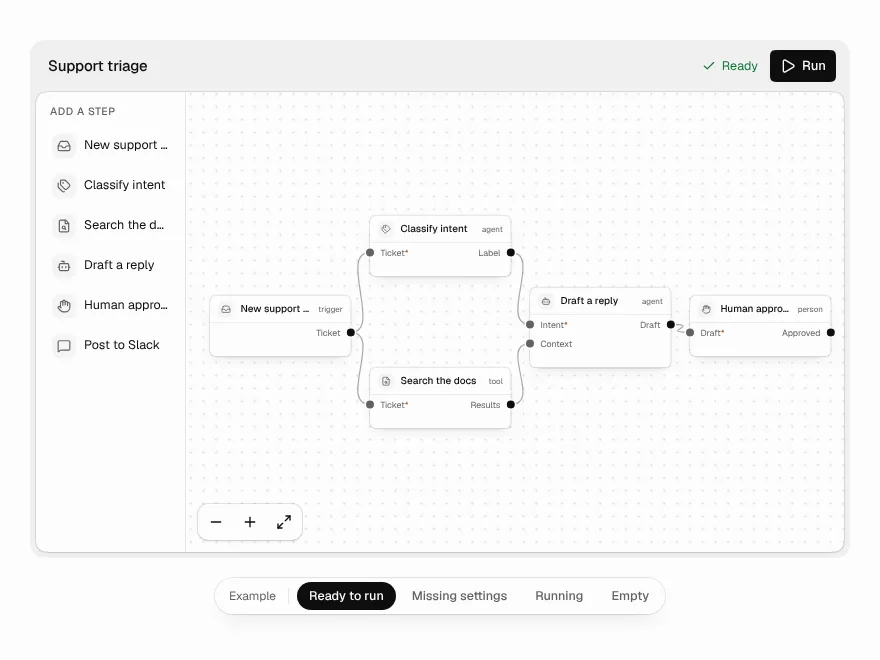 NewPro
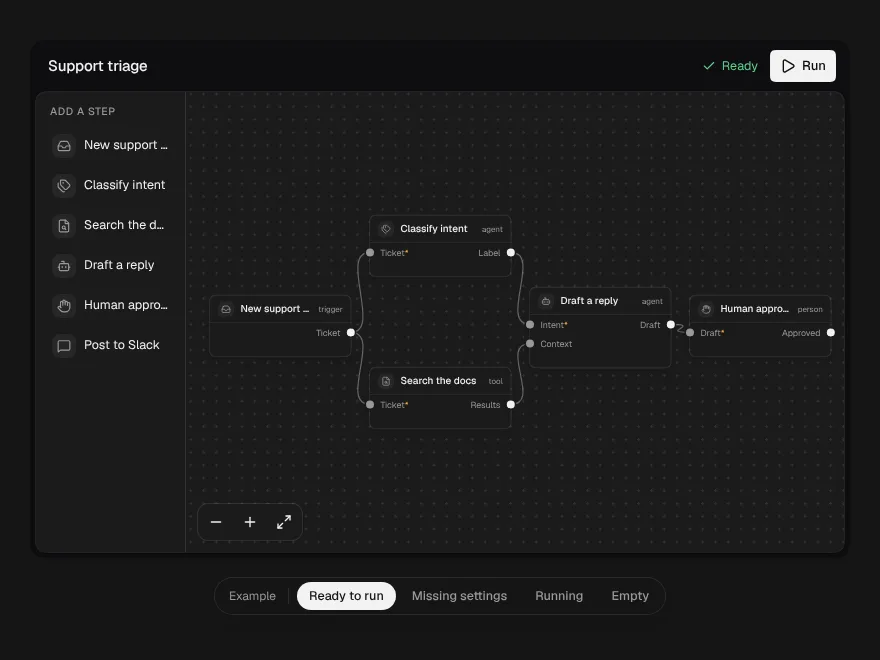
Workflow Builder
A node canvas for agent workflows that refuses broken wiring as you draw it.
 NewPro
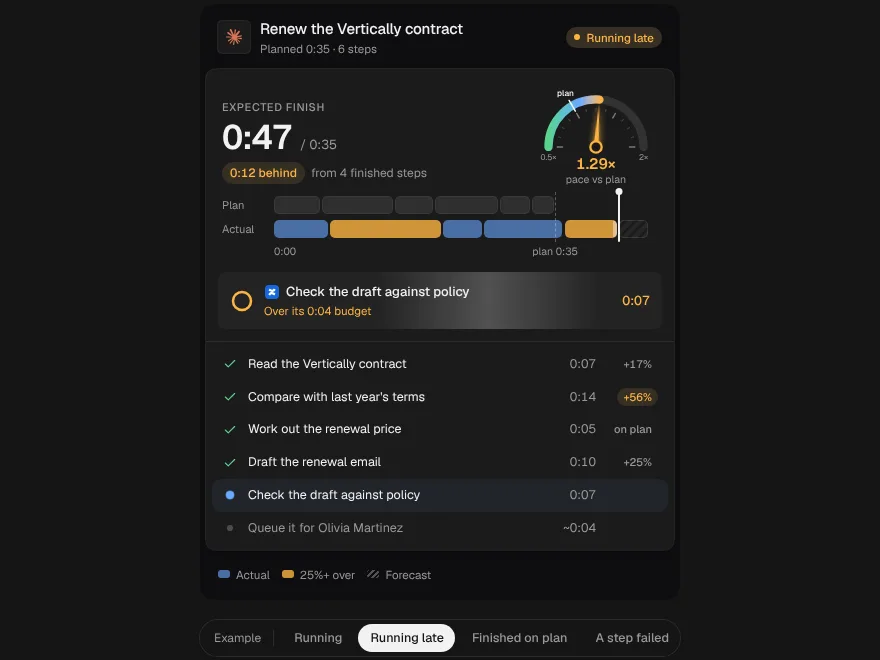
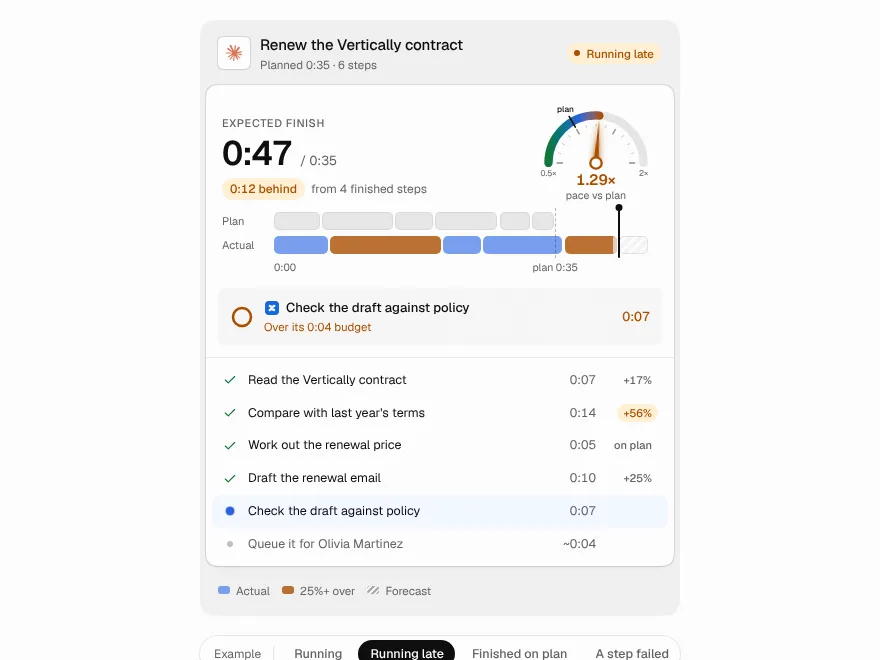
Plan vs Actual
An agent's plan and its real run as two lanes on one clock, with a pace dial and a finish time that rolls over.
 NewPro
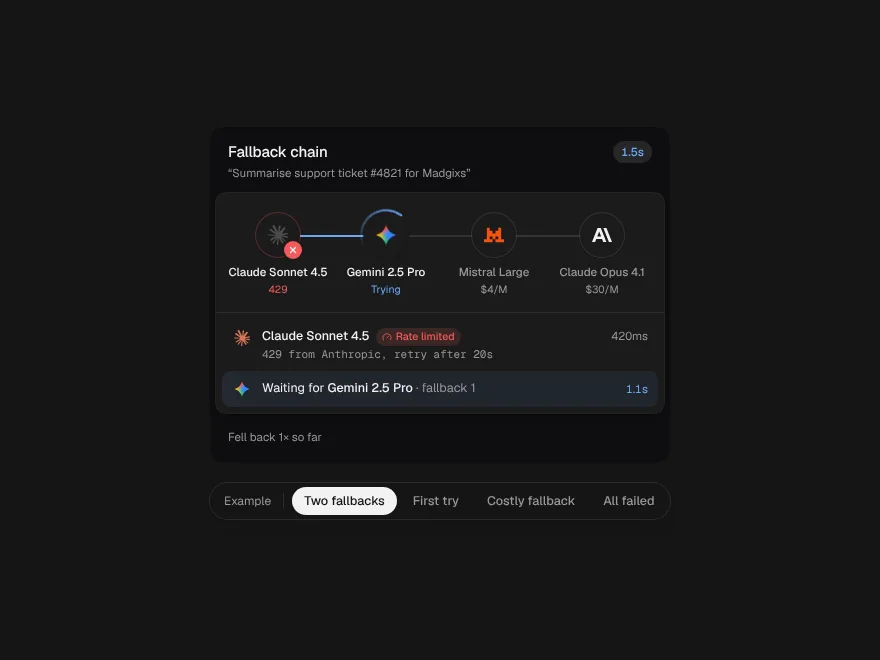
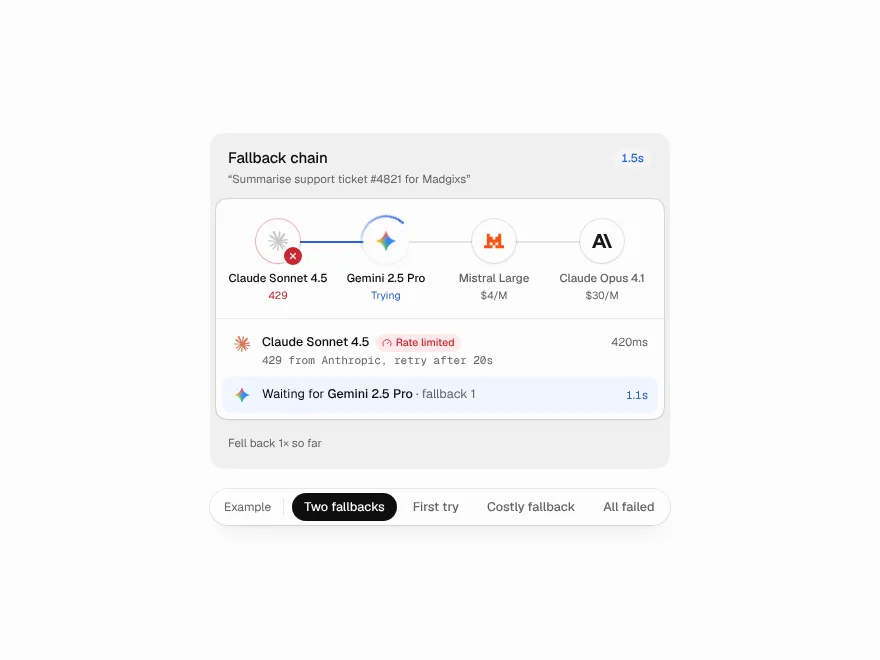
Fallback Chain
A request passed from model to model like a relay, with why each one failed and a receipt for the detour.
 NewPro
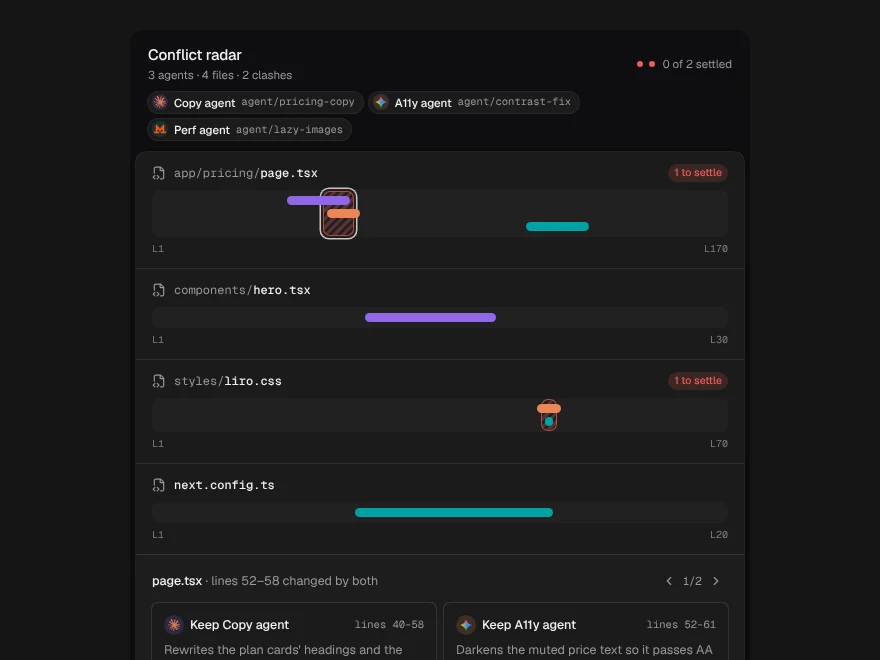
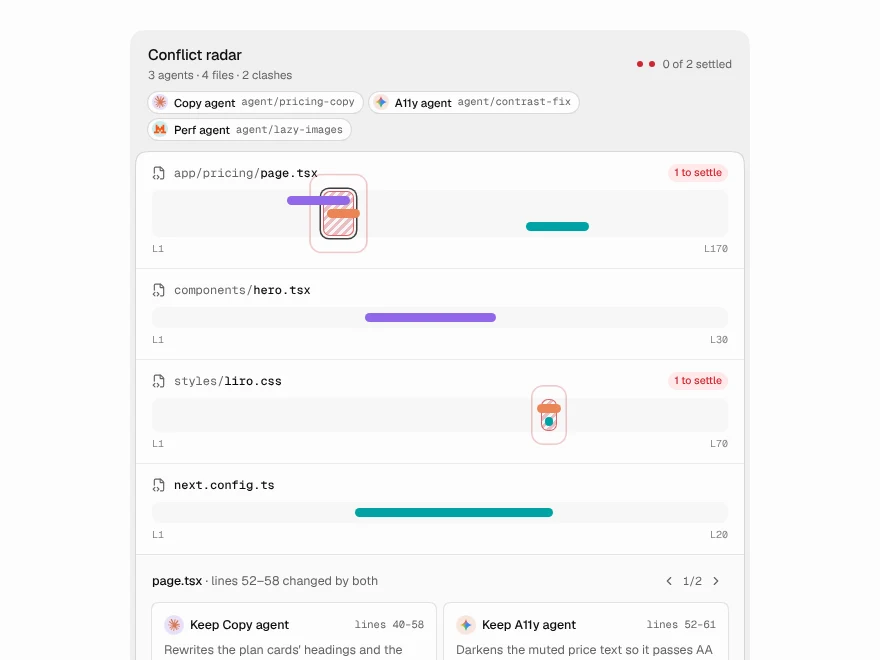
Conflict Radar
Parallel agents drawn as a minimap of each file, with the lines where their changes collide marked before merge.
 NewPro
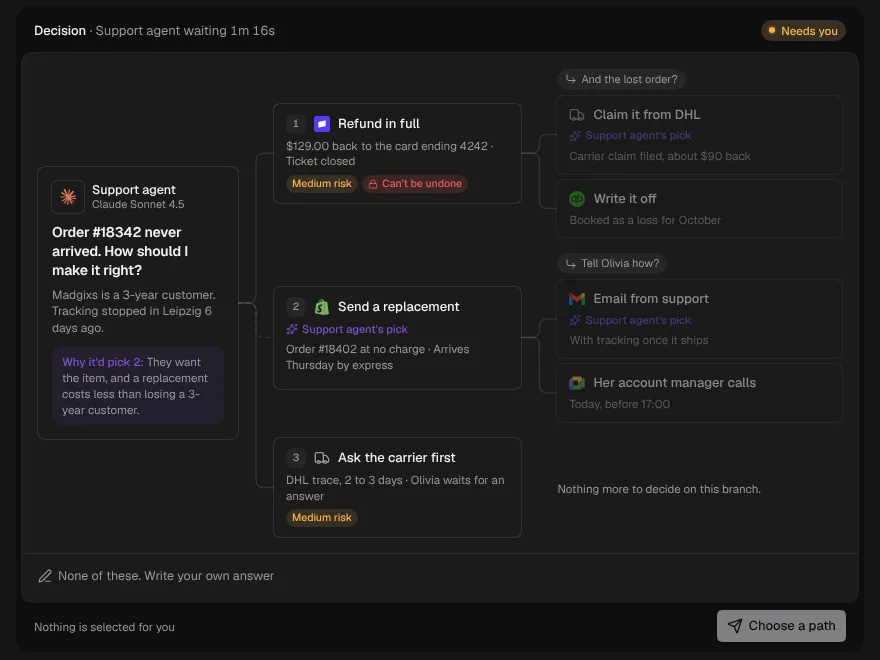
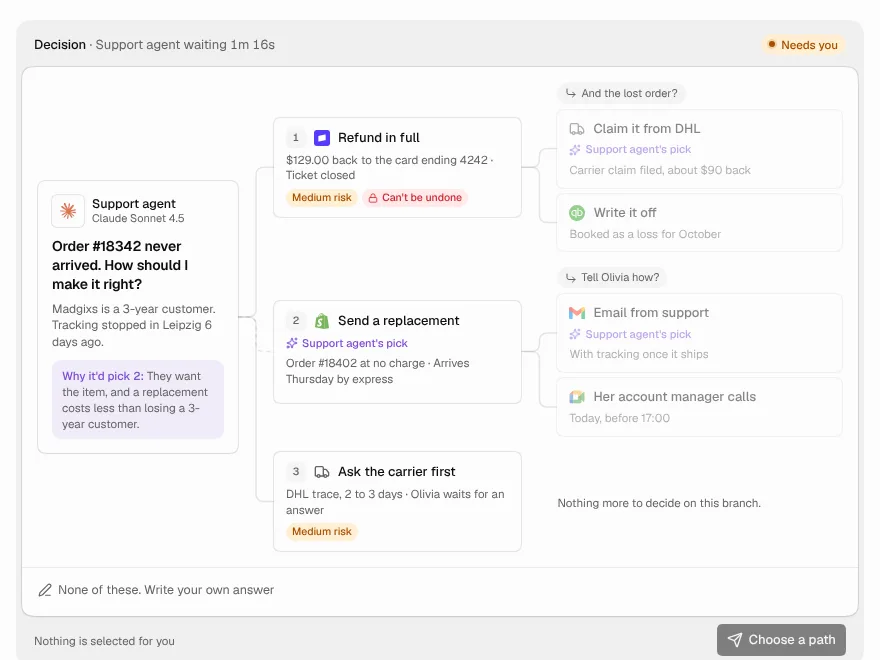
Decision Tree
An agent stuck at a fork lays the whole decision out as a tree: options, the follow-up each one leads to, and the path you pick lit end to end.
 NewPro
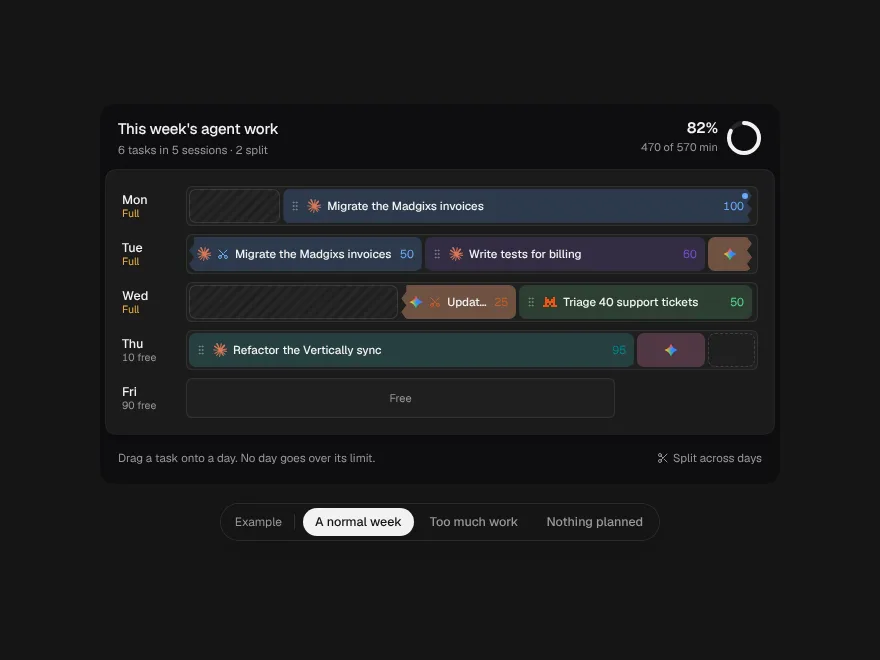
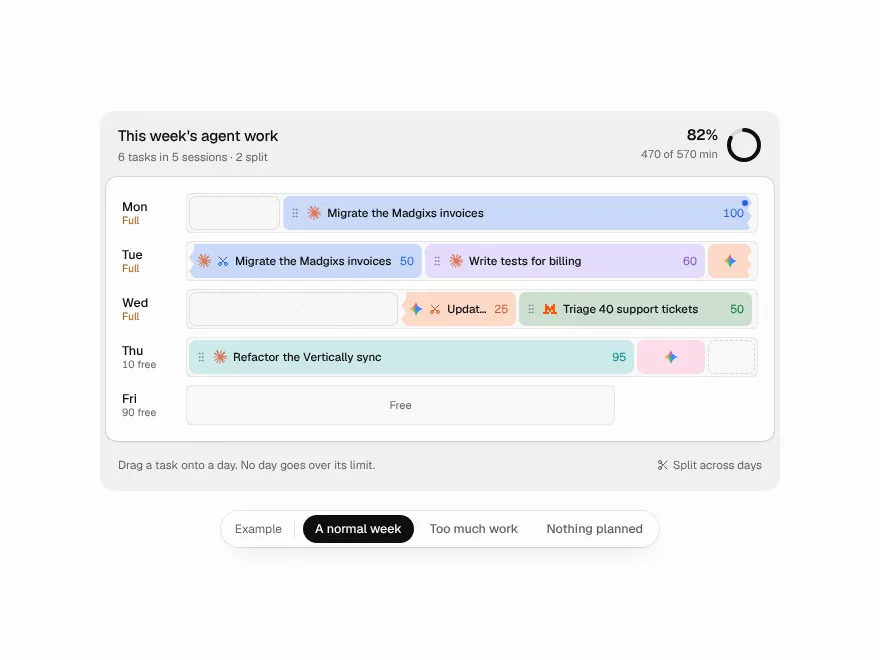
Scheduled Runs
Agent work packed into usage windows: each day a track as long as its limit, big tasks torn across days, rearranged by dragging.